
Views: 0 Author: Site Editor Publish Time: 2026-08-20 Origin: Site


The transition from manual, push-button aromatherapy devices to fully integrated, automated scenting systems fundamentally changes how we manage environmental fragrance. Buyers face a fragmented market of IoT devices where "smart" means anything from a poorly supported proprietary app to full local-API integration with enterprise-grade smart home hubs. Navigating these technical realities prevents stranded assets and network vulnerabilities. Many facilities and homeowners install these units expecting seamless operation, only to encounter dropped connections or incompatible protocols. This guide deconstructs the technical mechanisms, integration pathways, and hardware limitations of a smart wifi essential oil diffuser. We will examine how these devices communicate across networks, the physical hardware required for reliable automation, and the specific logic needed to tie scenting into existing HVAC systems. You will get a clear framework for evaluating and shortlisting the right device for your infrastructure.
Understanding how commands travel from a smartphone to the physical hardware dictates how you evaluate latency, reliability, and network requirements. Remote control relies on a specific sequence of data handshakes between your mobile device, external servers, and the onboard chipset of the diffuser. When you press a button on your screen, the resulting physical action in the room is the product of multiple network hops.
Standard IoT architecture relies heavily on cloud servers. When you adjust the mist settings on your smartphone, the application sends a command to a remote cloud server operated by platforms like Tuya, AWS, or a proprietary manufacturer server. The server processes this request and pushes the command back down to the diffuser's onboard Wi-Fi chip. This cloud dependency enables out-of-network remote control. You can activate the device from your office desk to pre-scent your living room before you arrive home.
Cloud dependency introduces specific operational trade-offs. You will experience slight latency between pressing a button and the device responding, usually ranging from one to three seconds. Your control is entirely reliant on the manufacturer's server uptime. If their servers go offline for maintenance or the company ceases operations, your smart device becomes temporarily or permanently inaccessible via the application.
Local control offers a more robust alternative for advanced setups. Devices supporting local APIs communicate directly over your home network. Commands travel from your phone or smart hub directly to the diffuser without leaving your local area network (LAN). This results in faster response times and ensures functionality even during internet service provider (ISP) outages. Setting up local control requires a higher technical barrier to entry, often involving platforms like Home Assistant and MQTT brokers to handle the telemetry data.
| Communication Protocol | Average Latency | Internet Dependency | Out-of-Network Control | Technical Setup Difficulty |
|---|---|---|---|---|
| Cloud-Based (Tuya, AWS) | 1-3 seconds | High (Requires active ISP connection) | Native (Works anywhere via cellular) | Low (Plug and play via app) |
| Local API (REST/MQTT) | < 100 Milliseconds | None (Works completely offline) | Requires VPN or Remote Access setup | High (Requires custom hub configuration) |
Consistent remote control demands specific onboard hardware. Almost all smart home devices utilize 2.4GHz Wi-Fi modules, typically variations of the ESP8266 or ESP32 chipsets. This frequency is standard for IoT applications due to its superior ability to penetrate drywall, wood framing, and concrete floors compared to 5GHz bands. The 2.4GHz wavelength is longer, allowing the signal to maintain integrity through physical obstructions.
This hardware reality creates a common incompatibility issue during setup. Users attempting to connect their devices to 5GHz-only networks will fail. Modern mesh routers often use band steering, broadcasting both 2.4GHz and 5GHz under a single SSID. Diffusers can struggle to lock onto the 2.4GHz band during the initial pairing process. You must often access your router settings to temporarily disable the 5GHz band, force the diffuser to pair with the 2.4GHz network, and then re-enable the 5GHz band.
Once the Wi-Fi module receives the command, an onboard microcontroller translates the digital signal into mechanical action. For ultrasonic models, the microcontroller regulates the electrical current sent to the ceramic ultrasonic plate, determining the vibration frequency and mist output. For nebulizing units, it controls the voltage supplied to the internal air pump to manage scent intensity and dispersal duration.
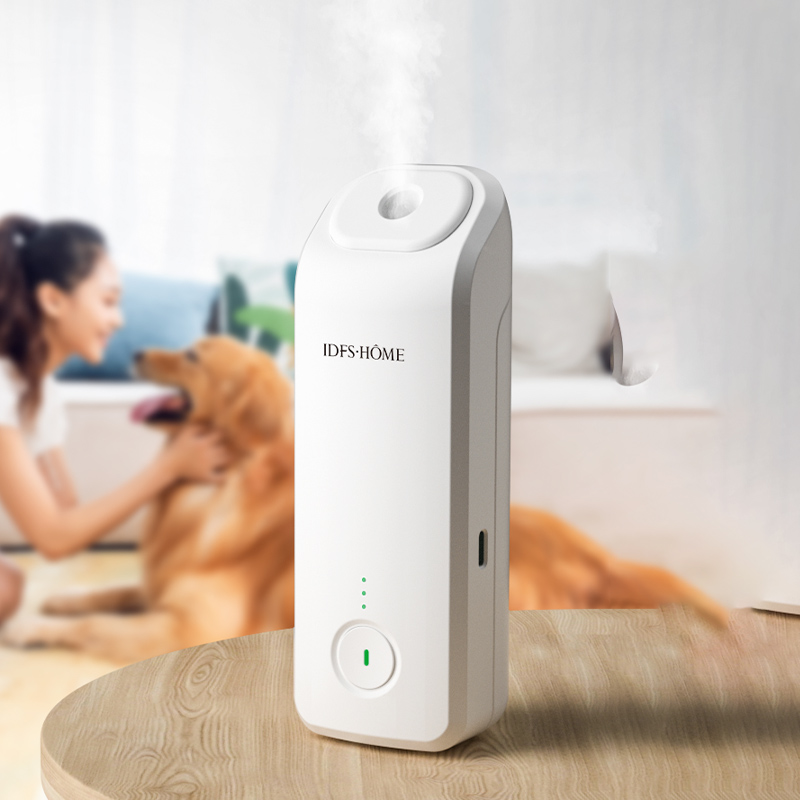
Buyers must choose between standalone operation and unified smart home integration based on their existing infrastructure and technical proficiency. The control ecosystem you select dictates how easily you can automate your environmental scenting alongside your lighting, security, and climate control systems.
Many manufacturers utilize a closed ecosystem, offering a dedicated app diffuser experience. This approach provides a straightforward out-of-the-box setup. You download the native application, connect the device to your Wi-Fi, and gain immediate access to core functions without needing third-party hardware.
Standard features within these proprietary applications include out-of-network remote toggling, custom scheduling, mist intensity adjustment, and LED light control. For users who only want to manage a single device without complex automations, this standalone approach is highly effective.
Closed ecosystems carry distinct limitations. App bloat is common, requiring you to keep yet another single-purpose application on your phone. You also face a lack of cross-device automation. A proprietary application cannot easily trigger your diffuser based on actions from your smart locks or lighting system. There is also the risk of software abandonware. If the manufacturer stops updating the application, compatibility with newer iOS or Android operating systems will eventually break, leaving you with a device that can only be operated manually.
Advanced users prefer linking devices to centralized hubs via cloud-to-cloud integrations. This unifies control under a single dashboard. Platforms like SmartThings and Hubitat offer robust automation engines that allow different brands of devices to communicate with one another.
When native integration is missing, users often rely on virtual switches. In SmartThings, you can create a virtual switch within the IDE. You then use an intermediary service like Alexa routines to bridge the gap. When the virtual switch turns on in SmartThings, Alexa detects the state change and triggers the diffuser via its native cloud skill. This allows unsupported Wi-Fi devices to participate in broader home automation routines.
IFTTT webhooks provide another automation pathway. When native APIs are unavailable, you can send HTTP requests via IFTTT to trigger scent automation. IFTTT reliability varies based on server load, and execution delays of up to a minute are common, making it unsuitable for automations requiring instant responses.
Voice assistant compatibility is a major success criterion for third-party integration. Native compatibility with Alexa or Google Assistant allows hands-free control. You must evaluate the specific commands supported by the integration. Some integrations only allow basic on/off toggling, while others support granular intensity control via voice commands, such as asking the assistant to set the diffuser to fifty percent capacity.
Some users attempt to bypass smart diffusers entirely. They plug a traditional, non-smart unit into a Wi-Fi smart plug controlled by Hubitat or SmartThings. This sounds simple but often fails due to hardware limitations inherent in modern appliance design.
The critical hardware requirement for this workaround is physical state memory. The diffuser must have a mechanical toggle switch or power-loss recovery memory. Soft-touch digital buttons reset to the "off" state when power is cut. If you use a smart plug with a soft-touch device, turning the plug on will only supply power to the internal board; the diffuser will remain off until you physically press the button.
Advanced users tackle this limitation through DIY IoT modifications. They bypass the soft-touch button entirely using the following process:
Moving beyond manual remote control to contextual, automated environmental scenting requires evaluating specific use cases and logic conditions. Smart homes should anticipate needs based on environmental factors rather than just offering remote controls on a screen.
Whole-home HVAC diffusers present a specific challenge. They inject atomized essential oils directly into the ductwork, usually just past the air handler. This requires absolute adherence to conditional logic to prevent severe damage to the home's infrastructure.
A smart diffuser must only trigger when the HVAC blower fan is active. Essential oils are volatile organic compounds, but they have a lipid-like viscosity depending on the carrier oil used. When atomized, they need a minimum airflow velocity to stay suspended. If the diffuser runs while the fan is off, the atomized oil has no airflow to carry it through the house. The heavy oil particles will fall out of suspension within seconds and settle inside the static ductwork. Over time, this creates a sticky residue buildup on galvanized steel or fiberglass duct board, attracting dust, restricting airflow, and creating a potential mold hazard.
You can achieve safe synchronization using smart thermostats like Ecobee or Nest as trigger devices in automation routines. You program the smart home hub to monitor the thermostat's operating state. The logic dictates that if the thermostat state changes to 'Fan On' or 'Heating/Cooling', the hub sends a command to turn on the diffuser. If the thermostat state changes to 'Idle', the hub immediately sends a command to turn off the diffuser.
For a hardwired, fail-safe approach, HVAC technicians install a current sensing relay on the blower motor wire. When the motor draws amperage, the relay closes a circuit connected to the diffuser's contact closure inputs, physically triggering the scenting process only when air is moving.
Contextual scenting relies on environmental triggers rather than manual schedules. This ensures the environment is fragranced exactly when needed without wasting expensive oils.
Geofencing capabilities offer seamless automation. You configure your smart home application to monitor your smartphone's GPS location. When you cross a predefined virtual boundary around your property, the system automatically activates the diffuser. This ensures the home is freshly scented exactly upon your arrival, without running the device while the house is empty.
Occupancy sensor integration optimizes oil consumption for specific rooms. You link a motion sensor or a millimeter-wave (mmWave) presence sensor to the diffuser's activation routine. Scent dispersal only triggers when human presence is detected in the space. mmWave sensors are particularly effective here, as they detect micro-movements like breathing, keeping the diffuser active while you sit still reading a book. If the room remains empty for a set duration, the diffuser powers down.
The physical mechanism of the device dictates the practical limits of its smart capabilities. Automation is only as good as the hardware's ability to operate unattended for extended periods. A smart diffuser that requires daily physical intervention defeats the purpose of remote control.
Ultrasonic models require water to function. You must manually fill the reservoir and add drops of essential oil. This frequent manual intervention limits the true autonomy of remote control. You can schedule an ultrasonic unit to turn on at 5:00 PM every day, but if the water tank is empty by Wednesday, the automation fails for the rest of the week. Fluid capacity directly impacts the viability of long-term scheduling.
Waterless, or nebulizing, models offer a vastly different experience. These units utilize direct oil bottle attachment. A high-pressure air pump atomizes the pure essential oil directly from the bottle without using heat or water. A standard 100ml bottle can provide weeks or even months of hands-off operation depending on the intensity settings. This makes waterless models far superior for complex automation routines and remote activation while traveling, as they remove the daily refill dependency.
| Diffuser Type | Refill Frequency | Automation Viability | Maintenance Requirement |
|---|---|---|---|
| Ultrasonic | Daily / Every 2-3 days | Low (Requires constant physical checks) | High (Requires regular cleaning of water scale) |
| Waterless / Nebulizing | Monthly / Bi-monthly | High (Set and forget operation) | Low (Occasional alcohol flush of the nozzle) |
Network outages happen. When evaluating a device, you must consider how it behaves when disconnected from Wi-Fi or after a power failure.
Physical override buttons on the device itself are essential. If your router fails or your ISP goes down, you still need a way to turn the unit on or adjust the intensity manually. Devices lacking physical buttons become useless bricks during network downtime.
Analyze how devices handle power outages. When power is restored, does the unit remain off, or does it resume its previous smart schedule upon reboot? Devices with robust onboard EEPROM memory will automatically reconnect to the network, pull the latest schedule from the cloud, and resume operation without manual intervention. Devices with volatile memory will simply stay off until you open the app and manually trigger them again.
Deploying IoT devices introduces network vulnerabilities and long-term usability concerns that must be mitigated prior to purchase. Adding any wireless device to your home infrastructure requires a basic understanding of network segmentation.
Adding low-cost Wi-Fi chips to a home network carries inherent risks. Many budget IoT devices lack rigorous security patching. If compromised, a vulnerable device can serve as a bridgehead for malicious actors to access your primary network.
Mitigation strategies require specific router configuration. You should isolate the wifi aroma diffuser on a dedicated 2.4GHz IoT guest network or a Virtual Local Area Network (VLAN). This segments your network traffic. You can set this up using the following steps:
Even if the diffuser's chipset is compromised, the attacker cannot move laterally to access your personal computers, NAS drives, or sensitive data on the primary network.
The software ecosystem is just as critical as the hardware. Many budget devices use white-labeled applications. A manufacturer buys a generic app template, adds their logo, and releases it to the app store. These applications frequently lose developer support. When iOS or Android releases a major update, the unsupported application breaks, rendering the remote control features useless.
Prioritize devices that utilize widely supported IoT platforms like Tuya or Smart Life. These platforms maintain massive developer bases and ensure continuous compatibility updates across operating system versions. Alternatively, prioritize devices offering local API access. Local control future-proofs the hardware, guaranteeing you can operate the device via your own hub even if the manufacturer goes out of business and shuts down their cloud servers.
Automated scenting transforms environmental fragrance from a manual chore to a programmable background process, provided the underlying connectivity and hardware align with your technical ecosystem. Choosing the right device requires looking past marketing claims and evaluating the actual communication protocols, integration capabilities, and physical maintenance requirements.
A: Yes. Devices connected to cloud servers allow out-of-network control. As long as your diffuser is connected to your home Wi-Fi and your smartphone has internet access, you can toggle power, adjust schedules, and change mist intensity from anywhere in the world.
A: No. The vast majority of IoT devices require a 2.4GHz Wi-Fi connection. 2.4GHz provides better range and wall penetration. You must ensure your router broadcasts a 2.4GHz band during the initial setup process.
A: Plug the diffuser into a compatible smart plug linked to your hub. The diffuser must have a physical toggle switch or power-loss memory. Leave the physical switch in the "on" position. Use the hub to toggle the smart plug's power, which will turn the diffuser on and off.
A: Yes, advanced users can modify push-button units. By wiring a microcontroller like an ESP8266 or a dry contact relay across the physical button's internal terminals, you can simulate a button press via Wi-Fi commands, integrating it into smart home platforms.
A: It depends on the device architecture. Cloud-dependent devices will fail to execute schedules during an outage. Devices with onboard memory or local API control via a local hub will continue to execute their programmed routines without internet access.
A: Yes. Using platforms like SmartThings or Home Assistant, you can create an automation routine that monitors the state of a smart thermostat. When the thermostat activates the HVAC fan, the routine automatically triggers the diffuser to turn on.
A: HVAC diffusers inject atomized oil directly into ductwork. If the diffuser runs while the HVAC blower fan is off, there is no airflow to disperse the oil. The heavy particles will settle inside the ducts, creating sticky residue and attracting dust.


