
Views: 0 Author: Site Editor Publish Time: 2026-08-26 Origin: Site


Professionals want the cognitive and environmental benefits of aromatherapy at their desks, but struggle to evaluate which devices are safe for PC hardware, office etiquette, and limited desk real estate. Bringing liquids and volatile compounds into a workspace filled with expensive electronics introduces immediate physical risks. Placing a water-filled device next to a high-end PC, mechanical keyboard, or multiple monitors requires strict placement protocols. You must evaluate which devices operate safely near electronics, respect shared office environments, and fit within your specific desk dimensions. Understanding the internal mechanics and power specifications of a usb aroma essential oil diffuser dictates how you integrate it into your workspace. Selecting the right unit prevents motherboard moisture damage, stops peripheral sensor degradation, and maintains a productive environment.
Users need to understand how these devices convert liquid into breathable mist using low-voltage power before placing them next to sensitive electronics. The underlying technology dictates the output type, the maintenance required, and the specific risks posed to nearby computing equipment. Different mechanisms handle essential oils in entirely different ways, altering how the scent travels across your desk.
Most desktop models utilize ultrasonic technology. At the base of the water reservoir sits a small piezoelectric transducer, typically a ceramic disc. When electrical current from the USB connection is applied, this disc vibrates at ultrasonic frequencies. These frequencies generally operate between 1.7 and 2.4 MHz. These rapid vibrations create capillary waves on the surface of the liquid. The kinetic energy breaks the water and essential oil mixture down into microscopic droplets.
Higher frequency transducers, such as those operating at 2.4 MHz, create smaller droplets. These smaller droplets evaporate faster in the ambient air, reducing the immediate condensation footprint on your desk. This process generates a fine, cool mist without relying on heat. The mist is propelled upward by the continuous kinetic energy of the vibrating disc. Many units also include a very small internal fan to assist in pushing the vapor out of the nozzle. The mist carries both moisture and atomized oil particles into the surrounding air. The lack of heat preserves the chemical integrity of the essential oils. However, the introduction of atomized water means these devices actively increase local humidity levels around your desk.
Evaporative models operate on a completely different principle. They rely on airflow rather than high-frequency vibration. These devices use a small internal fan to blow ambient air through an absorbent pad or wick soaked in essential oil. These pads are typically made of high-density cotton or synthetic polymers designed to hold oil without degrading. Volatile essential oils naturally evaporate at room temperature. The accelerated airflow rapidly disperses the scent molecules into the room.
These models are completely waterless. This eliminates the risk of accidental liquid spills and prevents localized humidity spikes near your monitors. Low-heat models are another variant. They are less common in desktop environments due to strict USB power constraints. These units gently warm the oil to accelerate evaporation. Maintaining a consistent heating element requires more sustained wattage than a simple fan or ceramic disc. This makes them less efficient for standard USB power delivery. Heat can also alter the therapeutic properties of the oils through thermal degradation.
Desktop diffusers are engineered to operate within standard USB power parameters. They typically require 5 Volts and draw between 1 Amp and 2 Amps. This low power requirement makes them highly versatile. The connection type heavily influences performance stability. A standard USB 2.0 connection on an older PC or basic hub only delivers 500mA (0.5A). This low amperage causes the transducer to underperform. You will experience weak mist output or intermittent shutoffs.
USB 3.0 ports deliver up to 900mA (0.9A), which is still borderline for many ultrasonic models. Modern USB-C connections or dedicated powered USB hubs easily provide the required 1.5A to 3.0A. This ensures consistent power delivery to the ceramic disc or internal fan.
Follow these steps to verify your power delivery:
Selecting the appropriate technology requires matching the device's operational characteristics to the physical constraints and hardware layout of your specific workspace. You must balance scent delivery with hardware protection.
The primary decision rests between water-based and waterless systems. Ultrasonic models provide a wider scent throw and double as personal humidifiers. This is beneficial in dry, air-conditioned office environments. They do introduce standing water to the desk and emit moisture that can settle on surfaces. You must account for the physical space required to safely refill the reservoir without dripping water onto your keyboard.
Waterless evaporative or nebulizing models eliminate catastrophic spill risks and localized humidity. They are inherently safer for close-proximity electronics. They often consume essential oils at a faster rate. They may also produce more noticeable mechanical noise. You might hear a distinct fan hum or pump vibration, which can be distracting during deep-focus work.
| Technology Type | Primary Mechanism | Hardware Risk Level | Moisture Output | Best Workspace Application |
|---|---|---|---|---|
| Ultrasonic | Piezoelectric vibration | Moderate to High | Yes (Micro-mist) | Large desks, dry environments |
| Evaporative | Fan over oil pad | Low | None | Multi-monitor setups, shared offices |
| Nebulizing | Pressurized air pump | Low (No water) | None | Large rooms, away from direct PC intakes |
Desk real estate is highly valuable. A standard office desk measures roughly 30 inches deep. Compact home office desks may only be 24 inches deep. When evaluating a mini diffuser, physical dimensions and stability are a strict requirement. Devices with a wide base and low center of gravity prevent accidental tipping when you reach across the desk or move documents. Tall, cylindrical models are prone to tipping if bumped by a mouse cable or a shifting monitor arm.
Portability is a significant advantage for hybrid workers. USB-powered units are inherently travel-friendly. Their compact form factor allows them to be easily packed into laptop bags. You can maintain a consistent aromatherapy setup whether you are in a corporate hot-desk environment, a home office, or a hotel room.
Micro-mist output is typically measured in milliliters per hour (ml/hour). Desktop models generally output between 15ml and 30ml per hour. They are designed specifically for personal space rather than whole-room coverage. Understanding this limitation is necessary for shared office environments.
A device with a massive scent throw will inevitably cause scent-trespassing. This forces colleagues to inhale fragrances they may find distracting or irritating. Selecting a device with adjustable output or intermittent settings ensures the fragrance remains confined to your immediate workstation. You can control the exact radius of the scent by adjusting the fan speed or misting intervals.
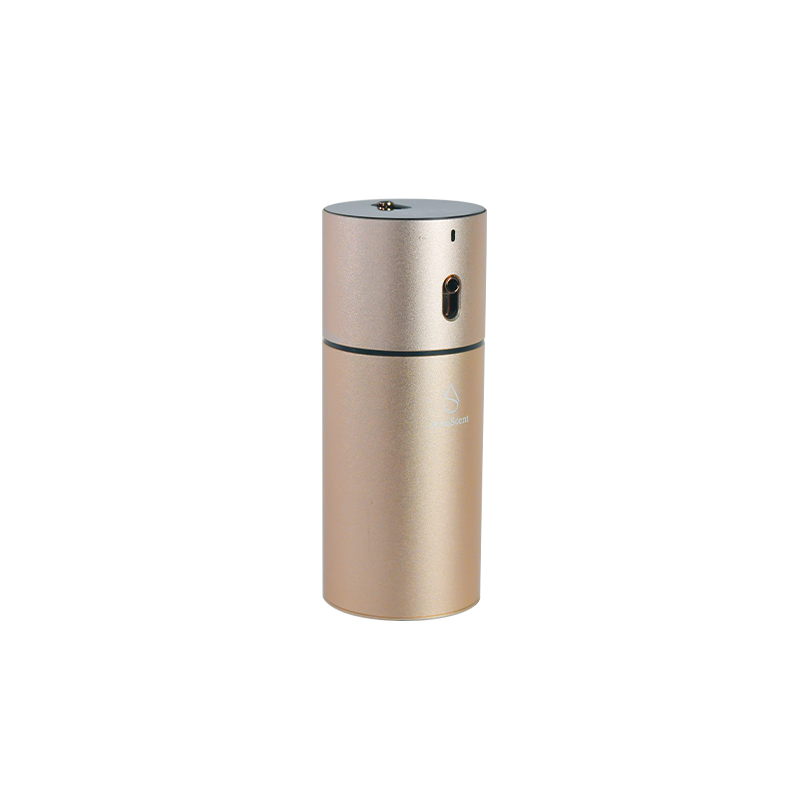
Operating any liquid or vapor-producing device near computing hardware introduces specific implementation risks. Failing to account for airflow and condensation leads to expensive hardware failures. You must map the airflow of your desk before placing any misting device.
Modern PC cases rely on active cooling. They utilize intake fans to pull fresh air into the chassis and exhaust fans to expel heat. These intake fans create strong airflow vacuums. If a device is placed too close, the fans will pull the atomized mist directly into the PC case. Cases configured with negative air pressure are especially vulnerable, as they aggressively pull air through every unfiltered gap in the chassis.
This introduces micro-condensation to the motherboard VRM heatsinks, GPU backplates, and exposed circuitry. Essential oils are volatile organic compounds. When these atomized oils enter the case, they settle on warm components. This combination of moisture and oil creates a sticky residue. It accelerates corrosion and significantly increases the risk of short circuits across exposed solder points.
High-end workstations and multi-monitor setups generate substantial ambient heat. This expelled heat alters the airflow dynamics of the immediate workspace. Warm air rising from monitors or PC exhausts catches the mist. It artificially accelerates the evaporation and spread of the volatile oils.
This pushes the scent throw much further than intended. It can also cause the oil particles to rapidly condense on the cooler surfaces of nearby walls or peripherals. The thermal updraft from a hot graphics card exhaust can completely redirect the mist from your intended target, blowing it directly into your face or across your primary monitor screen.
Atomized essential oils eventually settle even if the mist is not pulled directly into a PC case. Prolonged use creates a microscopic, sticky film on monitor screens. It coats the keycaps and unsealed switches of mechanical keyboards. It covers the lenses of optical mice.
This oil film acts as a magnet for environmental dust, pet dander, and dead skin cells. The resulting grime accelerates hardware degradation. Keyboard switches become sluggish and lose their tactile feedback. Optical mouse sensors track erratically on mousepads coated in microscopic oil droplets.
Establish a strict safe zone on your desk to mitigate these risks. Keep any mist-producing device a minimum of 3 feet away from PC intakes. Always place the unit downstream of your hardware's airflow. The mist should blow away from the computer, not toward it.
Follow these placement rules:
Maintaining an aromatherapy device in a workspace requires specific protocols. You must ensure it does not disrupt your workflow or damage your equipment. Regular maintenance prevents hardware failure and maintains air quality.
Never plug a water-based device directly into the front-panel USB ports of your PC chassis. If the cable is accidentally snagged, the unit will spill directly onto or in front of the computer. This risks immediate liquid ingress through the front mesh panel.
Plug your USB diffuser into an external powered USB hub positioned away from the main PC. You can also use a monitor's downstream USB ports equipped with surge protection. This isolates the power draw and physically separates the liquid reservoir from your primary hardware. It also protects your motherboard's USB controller from potential power surges if the device malfunctions.
Standard essential oil guidelines often recommend 5 to 10 drops for a living room. Applying this ratio to a desktop unit is a critical error. In an enclosed personal workspace, this concentration quickly causes olfactory fatigue. It drastically increases the amount of heavy oil output settling on your hardware.
Implement micro-dosing by using only 1 to 2 drops per water reservoir. This provides a subtle background scent without overwhelming the space. It keeps your peripherals free from heavy residue. You can always add another drop later if the scent fades, but you cannot remove oil once it is atomized into the air.
Oil viscosity directly impacts device longevity. Thick, resinous oils like Vetiver, Sandalwood, or Patchouli rapidly clog the small ceramic transducer of a desktop unit. They require constant cleaning and can permanently damage the piezoelectric disc if left to harden.
Opt for thinner, highly volatile oils like Lemon, Peppermint, or Eucalyptus. They atomize cleanly and leave minimal residue. Pure citrus oils are highly acidic. They can degrade cheap ABS plastics over time if spilled directly onto keyboard chassis or mousepads. Always wipe up raw oil spills immediately with a damp cloth.
Desktop environments are inherently dusty. Dust mixing with residual oil inside the reservoir creates a sludge. This sludge eventually stops the transducer from vibrating. Water alone cannot clean this buildup because essential oils are hydrophobic. Establish a realistic weekly maintenance schedule using the correct solvents.
Execute this cleaning process weekly:
Never leave standing water in the reservoir over the weekend. Warm office environments rapidly promote bacterial and mold growth inside the dark plastic chamber.
Synthesizing these technical and environmental factors allows you to make an informed purchasing decision. You must tailor your choice to your specific work habits and office layout.
The ideal device changes based on your location. In a private home office with a large desk, you can prioritize aesthetics, larger water reservoirs, and ultrasonic technology. You control the ambient humidity and have the space to maintain safe hardware distances. You do not have to worry about scent-trespassing on coworkers.
In a corporate cubicle or shared office, you must prioritize waterless or evaporative technology. You need a minimal physical footprint and a highly constrained scent throw. This respects your colleagues' space and complies with office electronics policies. A silent fan is also mandatory to avoid disrupting nearby phone calls.
Evaluate specific features based on how they protect your hardware and enhance your focus. A desk diffuser with intermittent timers prevents olfactory fatigue. It significantly limits the total moisture output near your PC by cycling the mist on and off every few minutes.
Auto-shutoff mechanisms are a mandatory safety feature. They prevent the transducer from burning out if the water runs dry while you are distracted by deep-focus work. Ensure the device has independent LED controls. The ability to disable RGB lighting maintains a professional, distraction-free aesthetic during video calls and prevents screen glare on your monitors.
A: It is highly discouraged. Motherboard ports often have power draw limits that cause inconsistent misting. Plugging directly into the PC chassis places a liquid reservoir dangerously close to your hardware. If the cord snags, water spills directly into the case. Always use an external powered hub or a dedicated wall adapter.
A: Yes, if placed incorrectly. Prolonged exposure to atomized essential oils creates a sticky, microscopic film on nearby surfaces. This film attracts dust and degrades peripheral sensors. Prevent this by maintaining a 3-foot clearance, angling the mist away from electronics, and micro-dosing your oils.
A: It requires strict precautions. Laptops have powerful intake fans underneath or on the sides that easily pull in moisture and volatile oils. This leads to internal corrosion. Keep the unit at least 3 feet away, place it downstream of the laptop's airflow, and ensure the mist nozzle angles outward.
A: Most standard models consume approximately 5 watts of power. They typically draw between 1 amp and 2 amps at 5 volts. This low power requirement makes them compatible with modern powered USB hubs, monitor downstream ports, and standard smartphone wall chargers.
A: Thin, highly volatile oils like Peppermint, Lemon, or Eucalyptus are best. Thick, resinous oils such as Vetiver or Sandalwood leave heavy residues that quickly clog the small ceramic transducers found in desktop units. Clean the reservoir weekly to prevent residual buildup.
A: No. Leaving standing water in the reservoir while the device is powered off promotes rapid bacterial and mold growth, especially in warm office environments. Always empty the reservoir and wipe it dry before leaving your workspace for extended periods.


