
Views: 0 Author: Site Editor Publish Time: 2026-09-14 Origin: Site


Moving from manual scenting units to automated, network-managed systems requires careful planning. Facility managers often face a major friction point during this transition: commercial IT infrastructure frequently rejects standard IoT devices. Dual-band routers, strict firewalls, and captive portals block connections. This causes deployment delays, offline units, and inconsistent ambient scenting across your floor plan.
You need a reliable network connection to execute a scenting strategy across multiple zones. This guide provides a technical blueprint for facility managers and IT teams. We outline how to provision, connect, and secure a Commercial Aroma Diffuser on an enterprise network. You will learn how to bypass captive portals, configure VLANs, and manage a fleet of connected devices without compromising your core network security or operational efficiency.
Network Compatibility: Most commercial diffusers require a dedicated 2.4GHz network band; 5GHz networks will typically cause pairing failures and timeout errors.
Enterprise Security: Bypassing captive portals often requires MAC address whitelisting or establishing a dedicated IoT VLAN.
Physical Placement vs. Signal Strength: HVAC-integrated units are often installed near metal air handling units (AHUs), which can act as Faraday cages, making pre-deployment signal testing critical.
Centralized Management: Successful WiFi integration unlocks multi-zone HVAC scheduling, remote intensity control, and automated fragrance refill alerts.
App Ecosystems: Understand whether your hardware relies on a white-labeled consumer IoT app (like Tuya or Smart Life) or a proprietary enterprise-grade management platform.
Establishing a stable baseline network architecture prevents offline errors later. Commercial spaces present unique radio frequency challenges. Before unboxing your hardware, verify that your network environment supports standard IoT communication protocols. You must align your IT department's security policies with the hardware's technical limitations.
Almost every wifi aroma diffuser operates exclusively on the 2.4GHz frequency band. Manufacturers use 2.4GHz chips because they offer superior wall penetration and extended range. Scent machines transmit minimal data. They only send scheduling commands and small telemetry packets. The high bandwidth of a 5GHz network provides no benefit, while the reliable range of 2.4GHz is mandatory for devices hidden in utility closets or mounted high on lobby walls.
Modern enterprise routers from brands like Cisco, Meraki, or Ubiquiti often use band steering. This feature broadcasts a single SSID and automatically pushes devices to the 5GHz band to clear up network congestion. Band steering causes immediate pairing failures during IoT setup. IT teams must split the SSIDs into distinct 2.4GHz and 5GHz networks. If splitting the main network violates company policy, the IT department must create a dedicated 2.4GHz guest network specifically for IoT devices.
Network Band | Wall Penetration | Maximum Range (Indoors) | IoT Device Compatibility | Bandwidth Capacity |
|---|---|---|---|---|
2.4 GHz | Excellent | Up to 150 feet | Universally Supported | Low (Sufficient for telemetry) |
5.0 GHz | Poor | Up to 50 feet | Rarely Supported | High (Unnecessary for diffusers) |
Authentication methods vary across commercial environments. Most diffusers support WPA2-PSK (Pre-Shared Key) security. They struggle with WPA2-Enterprise (802.1x), which requires individual user credentials rather than a single network password. If your facility uses WPA2-Enterprise, you must provision a separate SSID using WPA2-PSK for your scenting hardware.
Captive portals present a massive hurdle for deployment. Hotels, fitness centers, and retail stores use splash screens requiring users to accept terms of service before granting internet access. IoT devices lack web browsers. They cannot navigate these portals. The device will connect to the local router but fail to reach the external cloud server. This results in a permanent offline status in your management dashboard.
To bypass captive portals, network administrators must perform MAC address whitelisting. Every network interface has a unique Media Access Control (MAC) address. You can find this 12-character alphanumeric code printed on the bottom of the device, inside the oil cartridge bay, or displayed within a Bluetooth diagnostic app.
Follow these steps to secure the device on a corporate network:
Locate the MAC address on the physical hardware label.
Submit the MAC address to your IT department via a support ticket.
Request that IT whitelist the device to bypass the captive portal.
Request that IT place the diffuser on an isolated IoT VLAN (Virtual Local Area Network).
Verify that the VLAN has outbound internet access but restricted access to internal corporate servers.
VLAN isolation prevents potentially vulnerable IoT devices from communicating with servers hosting sensitive corporate data. This step satisfies most enterprise security audits.
HVAC-integrated diffusers face severe signal attenuation. Installers frequently mount these units directly onto metal ductwork or place them inside mechanical rooms housing large Air Handling Units (AHUs). Dense metal structures act as Faraday cages. They block or severely degrade WiFi signals.
Never mount the hardware without testing the signal first. Download a WiFi analyzer app on your smartphone. Stand at the exact proposed installation coordinates. Check the Received Signal Strength Indicator (RSSI). If the signal is too weak, you must install a WiFi repeater or relocate the unit.
RSSI Value (dBm) | Signal Quality | Expected Device Performance |
|---|---|---|
-30 to -50 | Excellent | Instant command execution, zero dropouts. |
-51 to -67 | Good | Reliable connection, standard for most commercial spaces. |
-68 to -79 | Weak | Frequent disconnects, delayed schedule updates. |
-80 to -90 | Unusable | Device will not pair or maintain a cloud connection. |
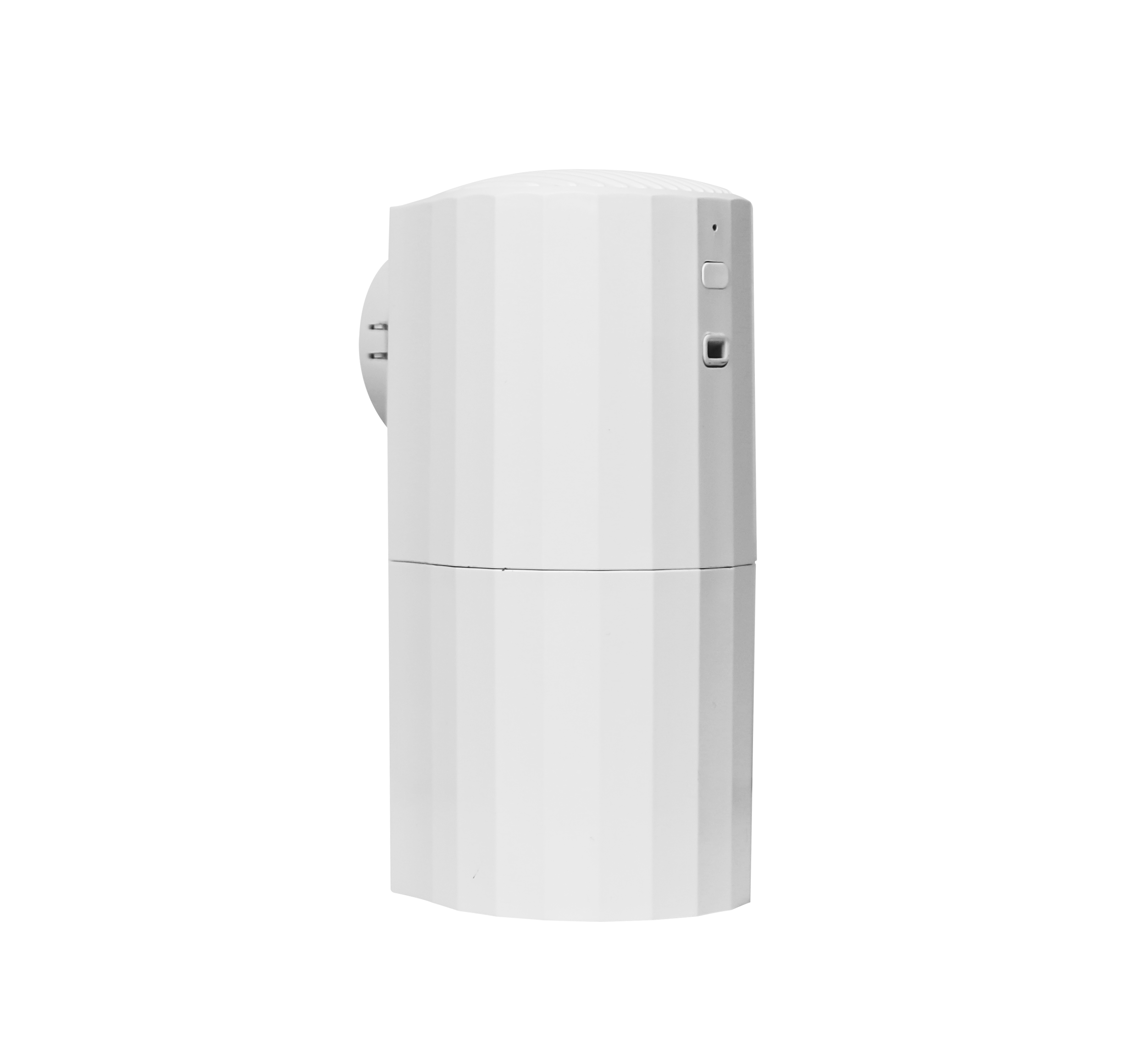
Connecting the hardware requires a specific sequence of actions. Top-tier commercial platforms utilize standardized provisioning protocols to pass network credentials from your smartphone to the device. Follow this sequence to ensure a stable handshake.
Start with physical preparation. Fill the oil canister and secure it inside the unit. Plug the device into a reliable power source. Keep the unit within 10 feet of the router during this initial setup phase to guarantee maximum signal strength. You can move it to its permanent location after successful provisioning.
Perform a hard factory reset. Manufacturers test units before shipping, and residual factory network profiles cause conflicts. Locate the reset button. Press and hold it for 5 to 10 seconds until you hear a beep or see the LED indicator flash rapidly. Next, download the manufacturer's management app. Create an account and configure role-based access control (RBAC). Assign yourself as the Admin and designate local staff as Location Managers with restricted permissions.
Devices use either Access Point (AP) mode or Bluetooth Low Energy (BLE) to receive WiFi credentials. BLE is the modern standard. In BLE mode, the device communicates directly with your phone's Bluetooth to securely transfer the WiFi password. Look for a rapidly flashing LED indicator to confirm BLE pairing mode is active.
Older units rely on AP mode. In AP mode, the diffuser broadcasts its own temporary WiFi network. You must open your phone's settings, connect to this temporary network, and return to the app. The LED usually flashes slowly when AP mode is active. BLE is vastly superior and less prone to user error.
Provisioning Method | Process Description | Reliability | LED Indicator Behavior |
|---|---|---|---|
Bluetooth (BLE) | Phone passes credentials directly via short-range Bluetooth. | High | Rapid flashing blue/green. |
Access Point (AP) | Device creates a temporary local network for the phone to join. | Medium | Slow pulsing blue/green. |
Once paired via BLE or AP mode, the app will prompt you to select your facility's 2.4GHz WiFi network. Enter the password carefully. IoT firmware is notoriously rigid regarding special characters. Avoid using complex symbols like ampersands or semicolons in your IoT network password. Poorly coded firmware might reject them and fail the handshake.
Tap connect. The device will stop broadcasting its temporary signal and attempt to authenticate with your router. The LED indicator will typically turn solid green or blue upon a successful connection. If the LED turns red, the password was incorrect or the router rejected the MAC address.
Immediately check for an Over-The-Air (OTA) firmware update. Manufacturers release patches to improve network stability and pump efficiency. Allow the device to download and install the update without interrupting the power supply. Unplugging the device during an OTA update will brick the hardware.
Proceed to initial calibration. Use the cloud dashboard to configure the internal pump and fan settings. Establish the baseline operating schedule. A standard commercial configuration might run from 9:00 AM to 5:00 PM, operating on a cycle of 30 seconds of atomization followed by 60 seconds of rest. Adjust these intervals based on ceiling height and ambient airflow.
Hardware is only half the equation. The software controlling the device determines your operational efficiency. Assess the management platform rigorously before committing to a fleet-wide deployment across multiple properties.
Many entry-level units utilize white-labeled consumer IoT applications. These apps work fine for a single room but fail in commercial environments. They lack robust fleet management tools, multi-user permissions, and advanced scheduling grids.
Proprietary enterprise platforms are built specifically for scent marketing. They offer comprehensive dashboard views, API access, and granular control over hundreds of devices across multiple time zones. Always prioritize hardware backed by proprietary software if you manage more than three locations.
Feature | Consumer IoT Apps (e.g., Tuya) | Proprietary Enterprise Platforms |
|---|---|---|
Multi-Location Grouping | Limited to single home/network | Unlimited global grouping |
Role-Based Access Control | Basic sharing only | Admin, Manager, Read-Only tiers |
API Integration | None | Webhooks for BMS integration |
Telemetry Alerts | Basic offline notifications | Low oil, pump failure, RSSI drops |
Understand the difference between local and cloud control. Local control requires your smartphone and the diffuser to be connected to the exact same SSID. If you leave the building, you lose access to the device. This architecture is useless for regional facility managers.
Cloud-broker architecture routes all commands through external servers. This allows you to adjust the scent intensity of a lobby in New York while sitting in an office in London. The device maintains a persistent MQTT connection to the cloud server, listening for schedule updates. Cloud control is mandatory for commercial scalability.
WiFi connectivity enables precise scheduling. You can sync the diffuser's operating hours directly with the building's HVAC schedule. If the HVAC system shuts down at 6:00 PM, the scent machine should stop atomizing simultaneously. This synchronization drastically reduces consumable fragrance waste.
Advanced platforms offer API webhooks. These webhooks allow the scenting hardware to integrate directly into broader Building Management Systems (BMS). The BMS can trigger the diffuser based on real-time occupancy sensors, CO2 levels, or airflow metrics.
Real-time telemetry transforms maintenance from reactive to proactive. A connected aromatherapy diffuser monitors its own health. The dashboard generates automated alerts for low fragrance oil levels, pump motor failures, or unexpected network disconnections.
These alerts allow facility teams to dispatch maintenance staff only when necessary. Instead of checking oil levels manually every week, staff only visit the unit when the dashboard indicates the cartridge is below 10%. This optimizes labor allocation and prevents units from running dry.
Even with perfect planning, post-installation connectivity issues occur. Equip your team with a clear diagnostic framework to resolve offline errors quickly without escalating to tier-3 IT support.
When a device drops offline, start with the router. DHCP lease expiration is a common culprit. The router dynamically assigns an IP address to the diffuser. When that lease expires, the router might assign the IP to another device, causing a conflict.
Follow these steps to resolve IP conflicts:
Log into the facility's router admin panel.
Navigate to the DHCP Reservation or Static IP assignment tab.
Locate the diffuser's MAC address in the client list.
Assign a permanent Static IP address outside the general DHCP pool.
Reboot the diffuser to force it to request the new Static IP.
This locks the IP address to the device's MAC address, ensuring long-term network stability. Next, verify that the cloud server itself is not experiencing an outage by checking the manufacturer's status page.
Corporate firewalls block unauthorized outbound traffic by default. If the device connects to the WiFi but remains offline in the app, the firewall is likely blocking its communication with the cloud server.
Contact the IT department. Request that they unblock specific outbound ports for the device's IP address. Standard IoT devices require specific pathways to transmit telemetry and receive schedule updates.
Port Number | Protocol | Function for Scent Diffusers |
|---|---|---|
Port 80 | HTTP | Basic web traffic and initial cloud handshakes. |
Port 443 | HTTPS | Secure, encrypted transmission of scheduling data. |
Port 8883 | MQTT (Secure) | Real-time telemetry streaming (oil levels, online status). |
Network outages happen. Your scenting strategy must survive them. Ensure your hardware features robust fallback protocols. Most commercial units possess internal memory. If the WiFi drops, the device will continue executing its last saved schedule locally.
If the corporate network permanently blocks the device, utilize Bluetooth-only control modes. Staff can walk within 30 feet of the unit to adjust settings via the app. Alternatively, rely on manual LCD screen programming. Physical buttons provide a fail-safe method to adjust intensity and schedules without any network dependency.
Scaling from a single pilot unit to hundreds of devices across multiple franchise locations requires a shift in management strategy. Centralization becomes the primary objective to maintain brand standards.
Programming individual units is highly inefficient. A centralized dashboard allows administrators to group devices by region, brand standard, or facility type. You can push a global scent schedule to fifty locations simultaneously with a single click. This ensures brand consistency across the entire portfolio and eliminates reliance on local staff to manage settings.
Execute a phased rollout using these steps:
Deploy a single unit at a flagship location to test firewall rules.
Document the exact MAC whitelisting and VLAN tagging process.
Create a standardized configuration template in the cloud dashboard.
Ship pre-configured units to regional managers.
Monitor the global dashboard for offline units during the first 48 hours.
IT stakeholders often worry that adding dozens of IoT devices will bottleneck network performance. Provide them with realistic data usage estimates. Scent machines do not stream audio or video. They transmit tiny packets of text-based data. A typical unit consumes mere kilobytes of data per day. A fleet of fifty diffusers will exert zero noticeable impact on enterprise bandwidth capacity.
Conduct a single-unit pilot test to map out firewall rules and test HVAC signal attenuation before executing a multi-site rollout.
Collaborate with your IT department to configure isolated IoT VLANs and assign static IP addresses to all scenting hardware.
Prioritize diffusers equipped with robust BLE-to-WiFi provisioning and enterprise-grade proprietary cloud dashboards.
Establish automated telemetry alerts for low oil levels and offline statuses to transition your maintenance strategy from reactive to proactive.
A: No. Almost all commercial units require a 2.4GHz network. The 2.4GHz band provides superior wall penetration and extended range, which is critical for IoT devices installed inside HVAC closets or behind walls. 5GHz networks will cause pairing failures.
A: It depends entirely on the manufacturer. Premium commercial brands utilize proprietary enterprise apps for advanced fleet management. Budget or white-labeled units often rely on universal consumer IoT apps like Tuya or Smart Life. Always consult your specific user manual.
A: Frequent disconnections usually stem from IP conflicts, DHCP lease expirations, or physical signal interference. Metal HVAC components act as Faraday cages, blocking signals. Assigning a static IP address and installing a WiFi repeater near the unit generally resolves these issues.
A: Diffusers lack web browsers and cannot click "Accept" on captive portal splash screens. You must provide the device's MAC address to your network administrator. They will whitelist the MAC address, allowing the device to bypass the portal and access the internet directly.
A: They use minimal bandwidth. These devices only transmit small packets of telemetry data and scheduling commands. Total data consumption is typically measured in kilobytes per day, meaning they will not impact overall network performance or speed.
A: While not strictly required for initial setup, assigning a static IP via your router's DHCP reservation table is highly recommended. It prevents IP conflicts and offline errors, ensuring long-term stability in complex commercial network environments.


