
Views: 0 Author: Site Editor Publish Time: 2026-09-14 Origin: Site


Setting up your app controlled diffuser is easier than you think! You will move through three simple phases: unbox and fill the diffuser, connect it to your smartphone app, and customize your schedule. No technical background is needed at all. I'll walk you through each step – you'll be enjoying your favorite scents in minutes. The whole setup process takes just a few moments, and you do not need any special tools or skills. Just bring your phone and your favorite essential oil. Before you know it, your space will smell amazing.
Set up your diffuser in three simple steps: unbox and fill, connect to the app, and customize your schedule.
Gather your diffuser, phone, essential oil, and Wi-Fi password before you start.
Pair your diffuser with the iDiffuser app using Bluetooth or Wi-Fi in under two minutes.
Control mist intensity, set timers, and create schedules right from your phone.
Clean your diffuser weekly and refill when the app alerts you to keep it running smoothly.
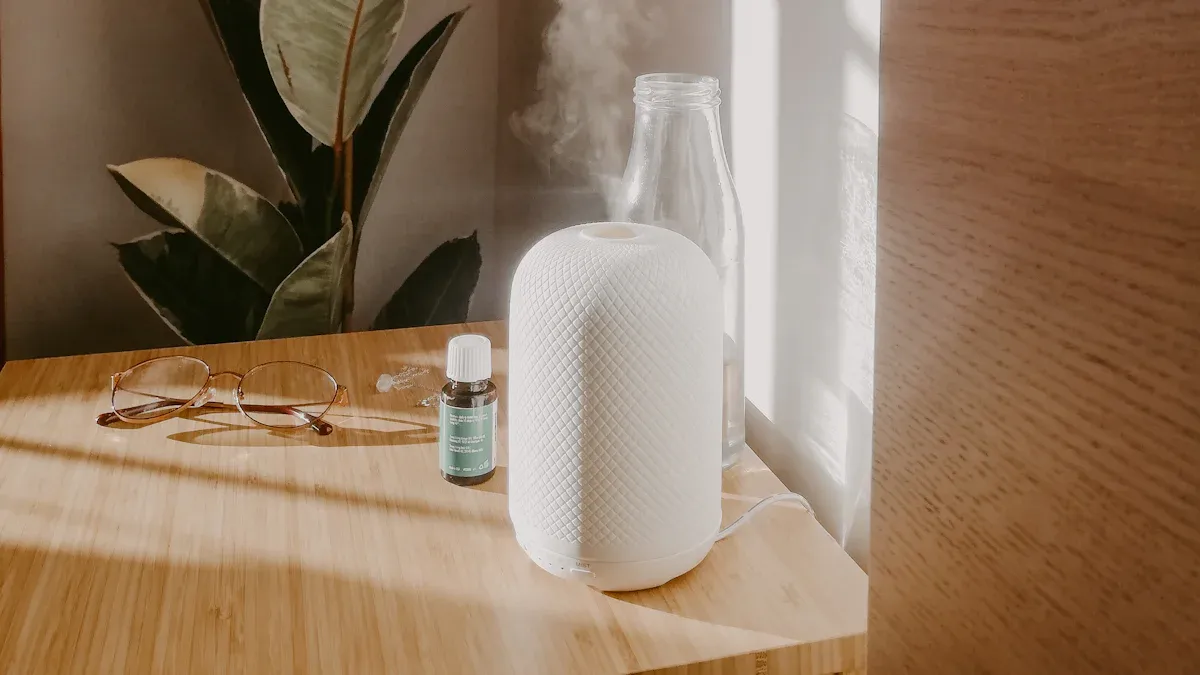
Image Source: unsplash
Before you begin, gather a few simple items. You will save time if you have everything ready. The whole process takes just a few minutes. Let me walk you through what you need.
Your diffuser box contains the main unit, a power adapter, and a user guide. You will also find a small measuring cup for water. Grab your favorite essential oil from your collection. You need clean, room-temperature tap water as well. Do not use hot water. Hot water can damage the ultrasonic plate inside the unit. Place the diffuser on a flat, stable surface near a power outlet. Keep it away from walls and electronics. Avoid putting it on soft surfaces like carpets. The unit needs good airflow around it for best performance. A table or countertop works perfectly.
Fill the water tank with clean water. Do not exceed the maximum fill line. You can see this line inside the tank. Add three to five drops of essential oil per 100ml of water. You can adjust the amount later based on your preference. Stronger oils need fewer drops. Citrus and lavender oils work well for beginners. The measuring cup helps you pour water without spills. Start with fewer drops of oil. You can always add more once you test the scent strength. This simple preparation ensures your diffuser works correctly from the start.
Open your phone's app store. Search for the iDiffuser app by RAMOND Aroma. Download and install the app on your smartphone. The app is free and works on both iOS and Android devices. Create an account inside the app. The app asks for basic information like your email address. This account saves your preferences and schedules. You can control it from anywhere once connected.
Check your home Wi-Fi network before pairing. The app works best with a 2.4GHz network. Most routers support this frequency. Choose the 2.4GHz option for the best connection. Find your Wi-Fi password and keep it nearby. For Wi-Fi models, the app uses SmartConfig to detect your diffuser. For Bluetooth models, turn on your phone's Bluetooth. Open the app and follow the pairing instructions. The app guides you through each step. You will see clear prompts on your screen. Make sure your phone stays close to the diffuser during the first connection. This smart setup takes less than two minutes. You do not need any technical skills. The app handles everything for you.
Image Source: pexels
You have your items ready. Now it is time to bring your diffuser to life. This part walks you through the physical setup and the pairing process. Follow along, and you will have your app controlled diffuser running in no time.
Take everything out of the box. Place the main unit on a flat, water-resistant surface. Keep it out of direct sunlight. Direct sunlight can fade the finish over time. Follow these steps for a clean start:
Remove the outer cover and the inner tank cap.
Fill the tank with room-temperature tap or distilled water only up to the max fill line.
Add your essential oil. Start with the lowest recommended baseline amount, such as 3 drops per 100 ml.
Replace the tank cap and the outer cover.
Do not overfill the tank. Water above the max line can spill into the base. That moisture can harm the internal parts. Also, keep the unit away from unsealed wood furniture. Ultrasonic diffusers release a fine mist. That mist can cause permanent moisture damage to nearby wood surfaces. A coaster or a tray under the unit adds a layer of protection.
Once the tank is full, plug the power adapter into a wall outlet. Press the power button on the unit. The diffuser should light up and begin to mist. This means the device is powered on and ready for pairing. If you see no mist, check the water level and the power connection. A quick look usually solves the problem.
Now grab your phone. Download the iDiffuser app by RAMOND Aroma from the App Store or Google Play. This mobile app is your control center. Open the app and create your account. The app will ask for basic details like your email. This step saves your preferences for later.
For Wi-Fi models, use the app's SmartConfig feature. This smart tool connects your diffuser to your home network. Select your 2.4GHz Wi-Fi network inside the app. Type your password. The app finds your device and links them together. The whole process takes under two minutes.
For Bluetooth models, turn on your phone's Bluetooth first. Open the app and tap the add device button. The app scans for nearby devices. Your bluetooth diffuser will appear on the list. Tap it to pair. The app confirms the connection with a success message. This bluetooth app setup is just as quick as the Wi-Fi option.
Keep your phone close to the unit during pairing. Stay within a few feet for the best signal. If the connection fails, move closer and try again. The app offers clear setup instructions on every screen. You do not need any technical background. The smart pairing system handles the hard work for you. Once paired, you can control the diffuser from your phone. The setup is complete, and your device is ready for daily use.
With your app controlled diffuser connected, you now have its smart controls at your fingertips. Open the control panel on your phone to see the main screen. Tap the power icon to turn the unit on or off. A slider controls the mist intensity. Slide left for a light mist, slide right for a dense output. The timer feature lets you choose a run time. You can select from presets like 30 minutes, 1 hour, 2 hours, or set a custom time. The display shows the remaining minutes on the screen. You can change the mist intensity or timer while the unit runs. The interface updates in real time. This means you can adjust the scent strength without getting up. If you have a bluetooth diffuser, the controls work within a few feet. The system gives you immediate feedback. This simple control panel makes it easy to match your mood or activity. Whether you want a gentle scent while you sleep or a strong aroma for a gathering, the basic controls give you quick access.
The scheduling feature brings true personalization to your scent routine. Tap the plus (+) button on the control screen to begin. A form opens where you name your schedule, choose the start time, choose the stop time, and pick the mist level. For example, create a “Morning Boost” schedule that turns on at 7 AM with a light mist and turns off at 9 AM with a denser scent. The interface lets you set the device to follow this schedule every day or on specific days. You can choose to repeat the schedule on selected weekdays or weekends. This weekend versus weekday programming gives you more personalization.
Users program the device to operate differently on weekends versus weekdays.
You can have a calming lavender on weekdays and an energizing citrus on weekends. The device stores multiple schedules. Create custom scent schedules for morning, afternoon, and evening. Each schedule can use a different oil blend if you swap oils manually. The system also monitors the oil level. It sends a refill notification when the oil runs low. You never have to guess.
The control platform includes several advanced features. The table below lists what you can do.
Feature | Description |
|---|---|
Healthy Environment Management | Control indoor air quality through timed fragrance delivery. |
Comprehensive Remote Control | Full operation of the diffuser from any location. |
Personalized Scene Automation | Create and deploy custom ambiance settings for different times. |
Real-time Device Monitoring | See the device status and operational data live. |
Ongoing Feature & Performance Updates | Receive regular updates with new features and performance improvements. |
Seamless Device Communication | Smooth two-way communication with notifications and responsive interaction. |
With an app-controlled diffuser, you can program multiple schedules throughout the day. The bluetooth connection keeps controls responsive within range. For a bluetooth diffuser, the interface offers direct control near the unit. With Wi-Fi models, you can control from anywhere. The automation of your scent schedule saves you time. You set it once, and the device follows your plan. These features turn your app controlled diffuser into a smart home companion.
A little routine care keeps your diffuser running smoothly for years. You do not need special tools or deep technical knowledge. A few simple habits protect the internal parts and keep your scent experience consistent.
Rinse the water tank at least once a week. Empty any leftover water after each use and wipe the tank dry with a soft cloth. This simple step prevents mineral buildup and keeps the ultrasonic plate clean. For a deeper clean, use a vinegar-water mix. The manufacturer considers vinegar-based solutions safe for ultrasonic models. Never submerge the base in water. The base holds the electronic components, and moisture can damage them. Use distilled water in your diffuser to reduce mineral deposits over time. Avoid harsh chemicals and abrasive cleaners. They can harm the unit and affect oil purity. The table below shows safe cleaning options.
Diffuser Type | Safe Cleaning Solution | How to Use |
|---|---|---|
Ultrasonic | Vinegar-water mix | Clean at least once a week; empty water after each use and wipe dry. |
All types | Distilled water | Use in ultrasonic models to prevent mineral buildup. |
All types | Avoid harsh chemicals | Never use abrasive cleaners; they damage the diffuser. |
Sometimes your app may lose its connection to the diffuser. This is normal and easy to fix. First, try a soft reset. Unplug the unit for 10 seconds, then plug it back in. This simple step solves most connection issues. If the problem continues, perform a factory reset. Hold the Fan Pause button for 30 seconds. The device will restore its default settings. Then open the app and pair your bluetooth device again. For bluetooth models, keep your phone within a few feet during reconnection. The bluetooth signal works best at close range. If your bluetooth pairing fails, move closer and try again. These troubleshooting steps handle most common problems.
Your diffuser also sends water level notifications. When the water runs low, the app alerts you to refill the tank. Refill when prompted to protect the ultrasonic plate. Running the unit dry can cause damage over time. This smart alert system takes the guesswork out of maintenance. A few minutes of care each week keeps your diffuser ready for daily use. Regular cleaning and quick troubleshooting keep your scent routine effortless.
You now know the three easy steps: prepare your items, pair your device, and explore the features. Your app controlled diffuser setup is complete. Try different mist levels and schedules to match your daily routine. A light mist works well for mornings. A stronger setting suits evenings. You can always adjust as you go.
Remember, troubleshooting is normal. If something feels off, check the FAQs for quick fixes. Most issues resolve in minutes. Your diffuser is built to make life simpler, not harder.
Now you're ready to enjoy a perfectly scented home – happy diffusing!
Start with a soft reset. Unplug your diffuser for 10 seconds, then plug it back in. If that does not work, hold the Fan Pause button for 30 seconds to restore factory settings. Then pair your device again through the app.
Yes. You can use any essential oil you like. Start with 3 to 5 drops per 100ml of water. Adjust the amount based on your personal preference. Stronger oils need fewer drops. Citrus and lavender oils work great for beginners.
Open the app and tap the plus (+) button. Enter a name for your schedule. Choose a start time, a stop time, and a mist level. The device will follow your plan automatically each day.
Rinse the tank once a week. Empty leftover water after each use. Use a vinegar-water mix for a deeper clean. Never submerge the base in water. This routine keeps your diffuser running smoothly.
The app alerts you when the water runs low. Refill the tank as soon as you see this notification. Running the unit with no water can damage the ultrasonic plate. This smart alert protects your diffuser over time.


